~2 GiB
Bigger memory pages
The kernel keeps 64 bytes of bookkeeping for every page of memory. With 64 KiB pages instead of 4 KiB, that bookkeeping shrinks by about 2 GiB on a 128 GB box.


Kindling Spark OS Beta
A small, read-only OS for DGX Spark and ASUS Ascent GX10. It installs beside DGX OS, and your models get roughly 4 GB more memory to work with.
Spark OS is in beta. We run it on our own Sparks, and it's built so trying it is low-stakes: DGX OS stays installed, the first boot is a trial, and one command takes you back. If you hit a rough edge, tell us on Discord.
On a Spark, the CPU and GPU share one 128 GB pool of memory. Everything the operating system holds onto is memory your model can't use for weights or context. Running GLM-5.3-Flash across two Sparks, that was exactly what we were short on.
So we profiled where the memory goes, and found two chunks hiding in plain sight.
~2 GiB
The kernel keeps 64 bytes of bookkeeping for every page of memory. With 64 KiB pages instead of 4 KiB, that bookkeeping shrinks by about 2 GiB on a 128 GB box.
~2 GiB
GB10 firmware sets aside 2 GiB for display memory that the driver never uses. dispram lends it to CUDA, so vLLM can keep KV cache there.
Steady
No desktop, no extras. With less running, memory use stays put, so you can size KV cache closer to the edge without surprises.
None of this is new RAM. It's memory that was already in the box, which models couldn't reach before. Credit to emihuang, who found the display reservation independently on NVIDIA's forums a few weeks before we did.
Spark OS is one image file on your DGX OS disk. Nothing is repartitioned, and DGX OS stays the default boot.
The next boot is a one-time trial. If you don't confirm it within 10 minutes, or anything fails, the box reboots into DGX OS by itself.
sparkos-promote makes it the default. sparkos-rollback undoes that any time, from either OS.
Even after you promote it, a boot that fails falls back to DGX OS. And setup writes every change it makes, next to the command that undoes it, to ~/kindling-spark-os-setup.log.
A DGX Spark or ASUS Ascent GX10 running DGX OS, and about 20 minutes, most of it waiting on the build. Keep a monitor and keyboard handy, or a way to power-cycle the box. You probably won't need them, but setup will ask.
From DGX OS on the box:
git clone --branch stable https://github.com/kindlingai/kindling-spark-os.git
kindling-spark-os/setup.sh --check
--check changes nothing. It looks over the hardware, boot setup, disk space and network, and tells you how to fix anything that's missing.
openssl rand -hex 32Boxes with the same key find each other and form a cluster, so save it and use it on every box. A single box needs one too.
kindling-spark-os/setup.sh --secret YOUR_KEYSetup asks two questions, builds the image (a few minutes) and sets it as the next boot, once. It never reboots on its own.
Bring it along so the box stays reachable over your tailnet during the trial boot:
kindling-spark-os/setup.sh --secret YOUR_KEY \
  --sources /etc/apt/sources.list.d/tailscale.list --packages tailscale \
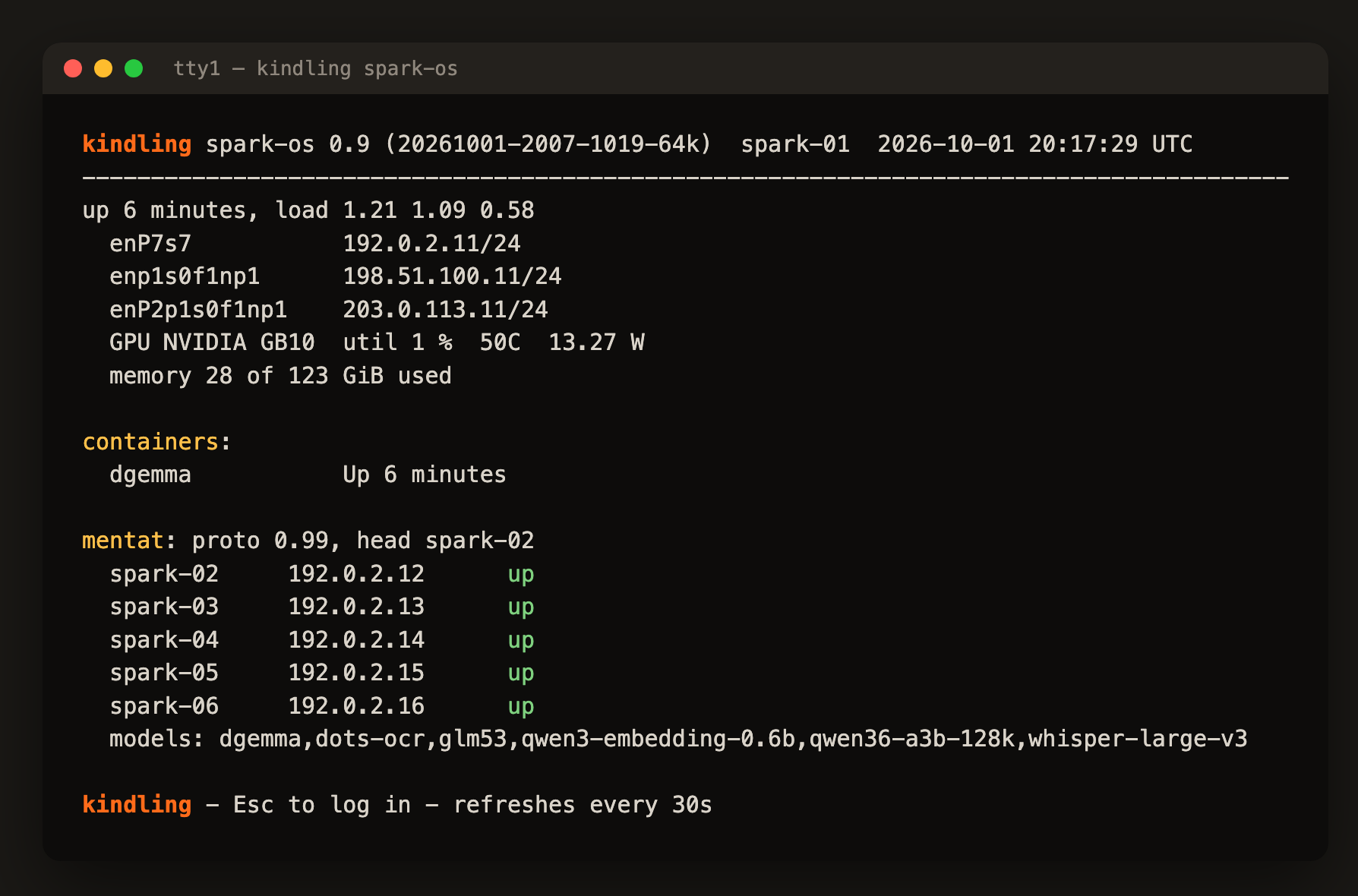
--mounts /var/lib/tailscalesudo systemctl rebootWhen it's up, the console shows the status screen. ssh in with your usual user and keys, and look around.
sparkos-promoteRun it within 10 minutes of booting. Want longer to look around first? sudo touch /run/sparkos-confirmed keeps this boot running until the next reboot.
Changed your mind? sparkos-rollback makes DGX OS the default again and reboots.
Start vLLM with --safetensors-load-strategy eager. The default loader can stall while copying weights to the GPU on this kernel.
The system is read-only with a RAM overlay. /home, /srv, /var/log and Docker's data persist; /tmp doesn't. Keep weights in /var/tmp? Install with --mounts /var/tmp.
enter-dgx-os opens a shell in your DGX OS install, for things the image doesn't carry, like apt.
Already run mentatd or spark-agent in Docker? Stop those containers first; Spark OS runs both and uses the same ports.
The full list of install options, services and internals is in the README.
Spark OS is young and moving quickly. Questions, benchmark numbers, ideas and odd setups are all welcome on Discord. Bugs and patches go on GitHub.
Made by Matt Mastracci, Steve and Chuck, with thanks to Joey for early testing.